Application Links
_HireNow Portal > Recruitment Campaigns > (select a campaign) > Campaign Summary Burger Menu
Description
As a recruiter of HireNow, I can generate links to allow anyone to apply for a job on SkillsNow.
Applicable User Roles
List of roles that have access or can use this feature.
Recruiter
Recruitment Admin
How To
Create a Universal Job Link
A Universal Job Link is a link that can be shared anywhere and with anyone to allow them to join a specific campaign on SkillsNow. A Universal Job Link has no Recruiter assigned to the Application by default, so is useful when posting on public sites such as job boards or forums.
To create a Universal Campaign Link, you must be on the Campaigns page with the Campaign you want to create a link for selected. Click on the Campaign Summary burger menu to show the Universal Job Link option.
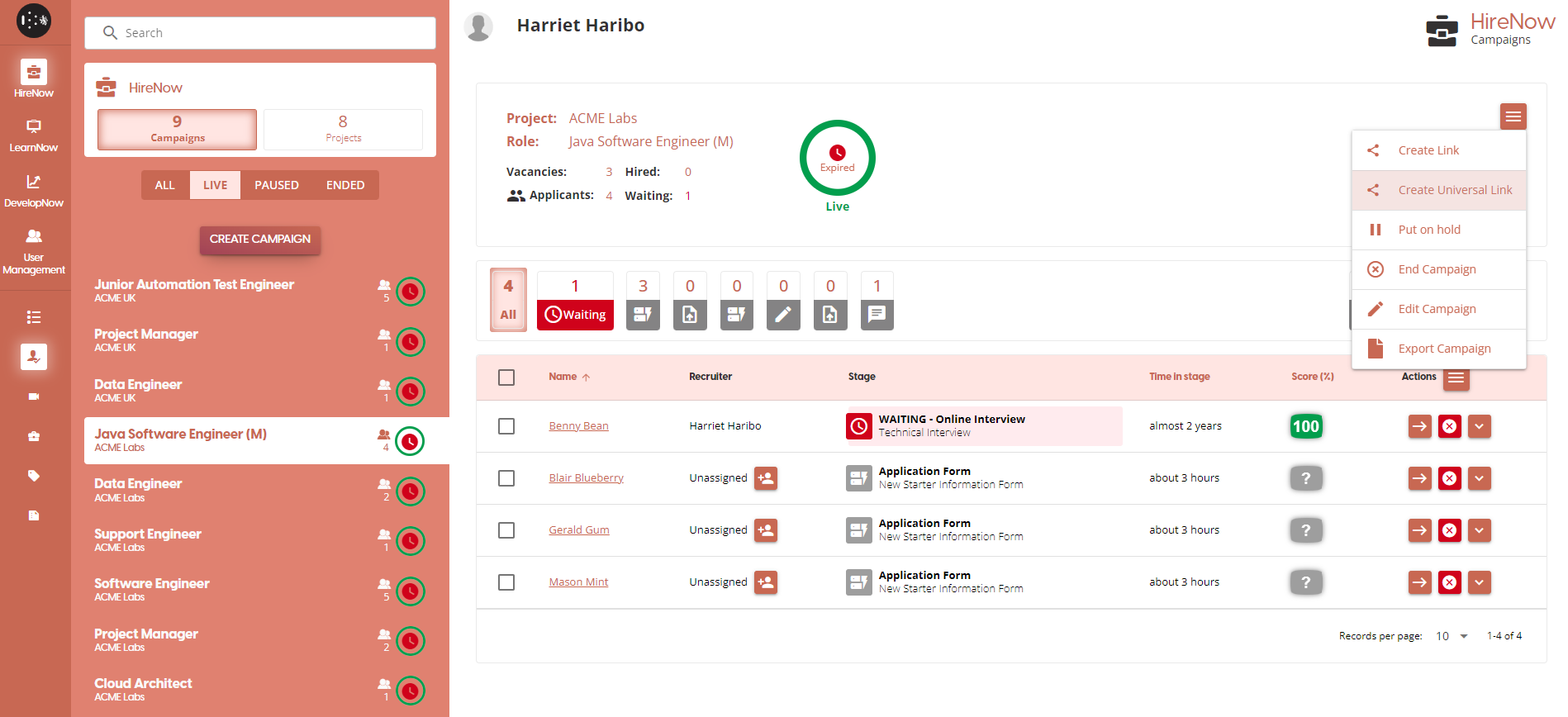
As soon as you click on this link, a URL will be copied into your clipboard. You can then paste this URL anywhere, and anyone who follows the link will be directed to join the Campaign as an applicant.
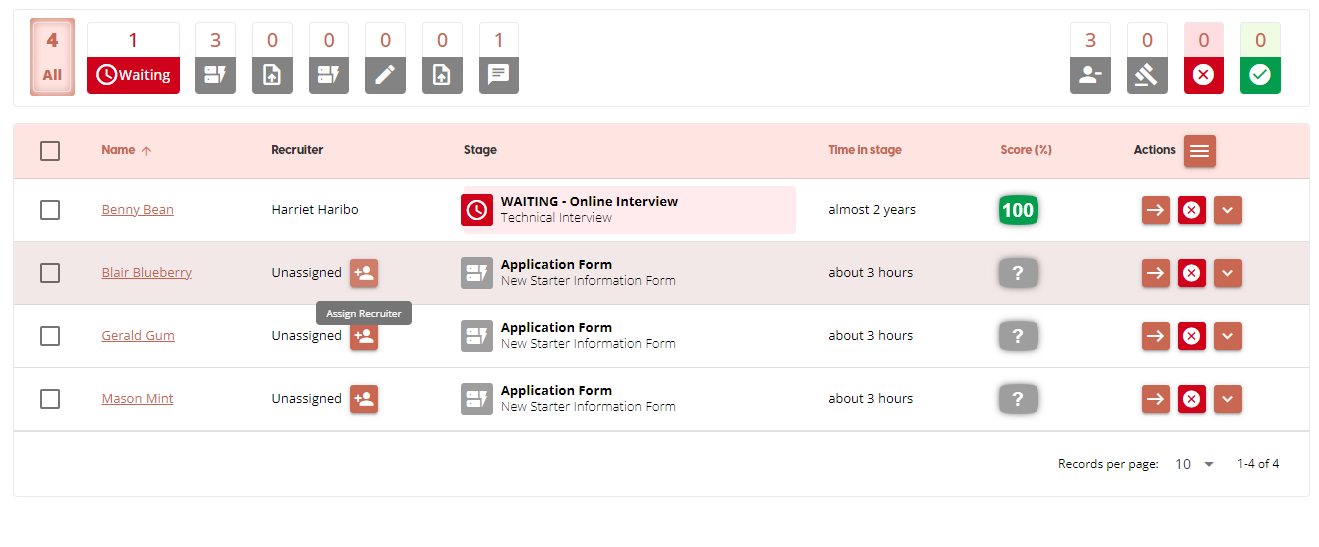
If someone joins using a Universal Job Link, they will not have a Recruiter assigned to the Application. To assign a recruiter, click on the Add Recruiter icon in the Recruiter column to open the Assign Recruiter popup.
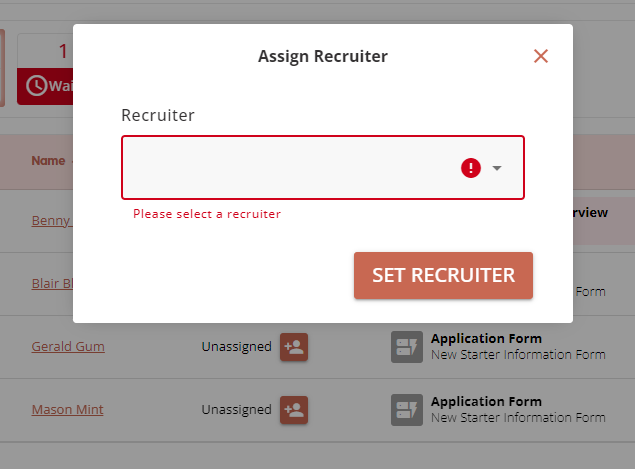
A Recruitment admin will be able to select any recruiters to be assigned to the application, but recruiters can only assign themselves to an application. Once you have selected a Recruiter to assign, click on the Set Recruiter to confirm your choice and finish the process.
Create a Job Link
A Job Link is a link that can be shared anywhere and with anyone to allow them to join a specific campaign on SkillsNow. A Job Link has the Recruiter who created the link assigned to the Application by default, so is useful when contacting people directly.
To create a Job Link, you must be on the Campaigns page with the Campaign you want to create a link for selected. Click on the Campaign Summary burger menu to show the Job Link option.
As soon as you click on this link, a URL will be copied into your clipboard. You can then paste this URL anywhere, and anyone who follows the link will be directed to join the Campaign as an applicant. If someone joins a campaign using this link, the Recruiter who created the link will automatically be assigned to the application.